Pattern Updates
Every Quiltilus Studio pattern has a version number. When we correct or improve a pattern, the version changes and the new file replaces the old one. Updates are always free.
How version numbers work
- The first number changes when something you cut or sew changes: templates, pieces, measurements, fabric requirements, cutting sizes or assembly steps. Example: from 1.2 to 2.0.
- The second number changes when the finished result stays the same: wording, layout, links or branding. Example: from 1.1 to 1.2.
Each change is labeled Correction if it affects your project, or Update if the pattern itself has not changed.
Check your version
The pattern code and version are printed in your pattern. Compare them with the current version listed below. Older patterns used codes starting with AS or AC. Each entry shows the old code next to the new one.
Get the latest version
- Bought at quiltilus.com: sign in to your account, or use the order link in your confirmation email. The file you download is always the latest version.
- Bought on our previous website: email info@quiltilus.com with the pattern code and your proof of purchase, and we'll send you the latest version.
Patterns and versions
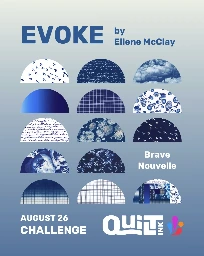
QSP001Quilt pattern
- Current version: 1.1 (October 27, 2026). Second version, some changes
- 1 (October 20, 2026). First version
Questions? Write to info@quiltilus.com